Reference
Troubleshooting Cloudflare Tunnel
Fix Cloudflare Tunnel and Teitunnel errors — Error 1033, 502 Bad Gateway, 530, 524 timeouts, SSL handshake failures, too many redirects, blocked hosts, invalid access token 9109, Zero Trust not set up, missing permissions, Workers and D1 limits, Quick Share limits and local domains.
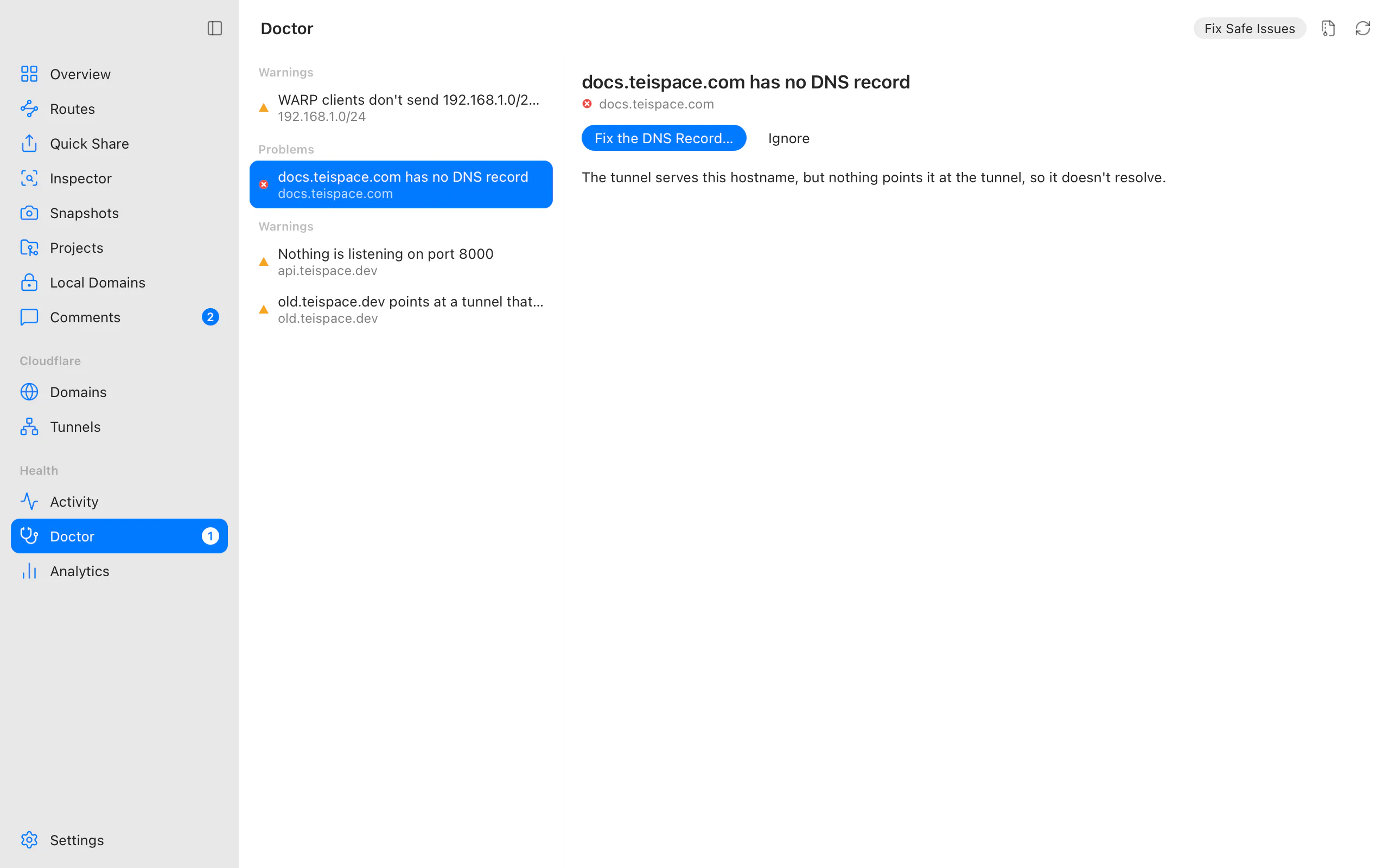
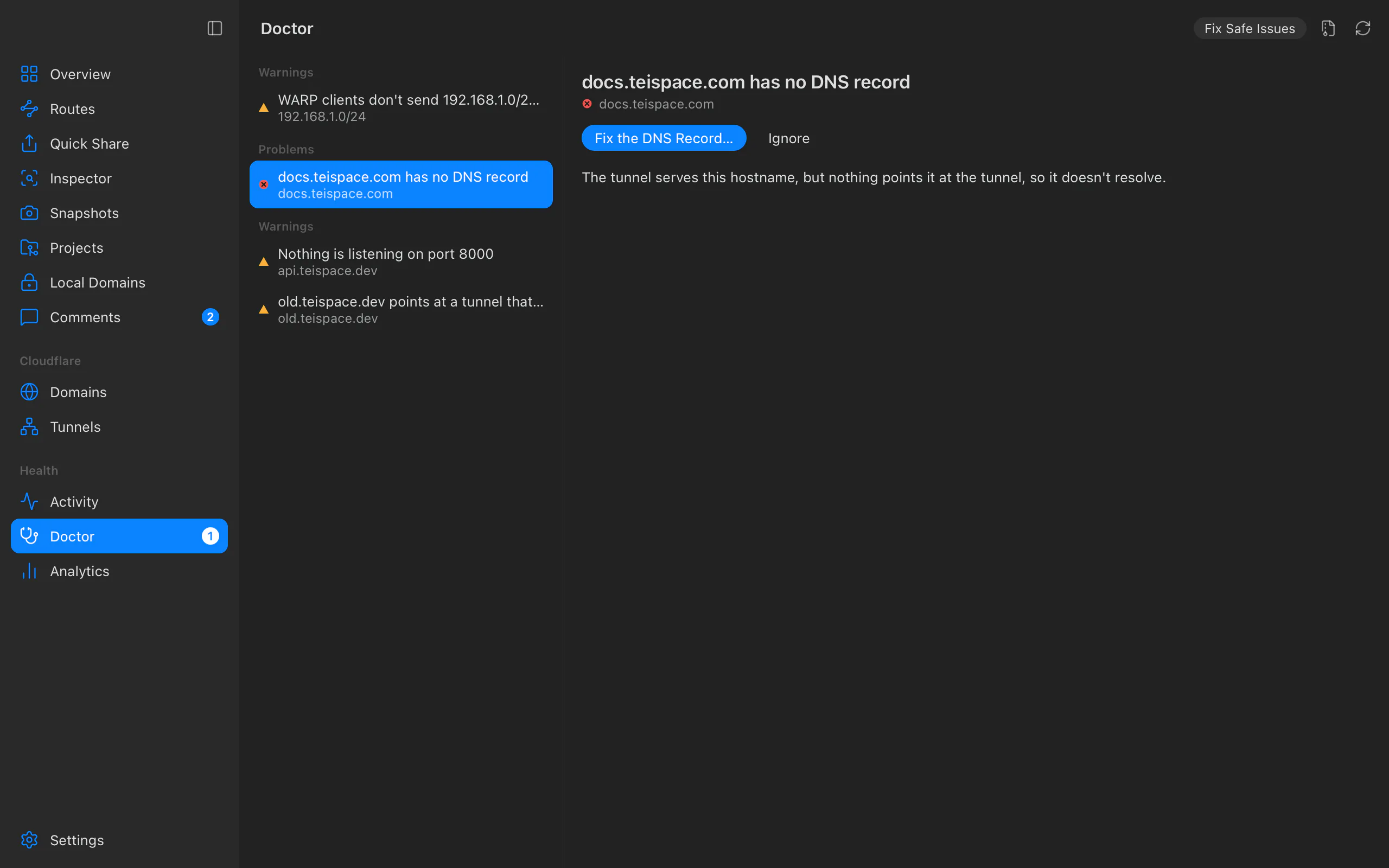
Start with the Doctor (⌘8 / Ctrl+8, or teitunnel doctor): it checks your routes,
DNS, connectors, logins and local domains, and most problems below come with a one-click
fix there. Then Test on a route checks it end to end through Cloudflare. If it still
doesn't work, find what you see below.
In the browser
Error 1033
Cloudflare Tunnel error: Cloudflare is currently unable to resolve it. The hostname points at a tunnel with no connector running.
- The app is closed and the route isn't Always-on: open Teitunnel, or turn on Keep running when Teitunnel quits (run modes).
- The connector can't reach Cloudflare: see connections keep dropping.
- The record points at a tunnel that was deleted: the Doctor reports it (
dns.orphan_*) and offers to delete or repoint it.
To show visitors your own page instead while your computer is off, add an offline page.
502 Bad Gateway
The tunnel is up, but cloudflared couldn't get an answer from your service.
- Nothing listening on that port. Start your app, or fix the port in the route. The Doctor
says Nothing is listening on port 8000 (
origin.not_listening). localhostresolves differently. Some servers listen only on127.0.0.1(IPv4) or only on::1(IPv6). Point the route at the exact address, such ashttp://127.0.0.1:3000, or make your server listen on both.- HTTP versus HTTPS. A route to
http://…on a port that speaks HTTPS (or the reverse) fails. Match the scheme; for a self-signed HTTPS origin, turn on Origin settings ▸ Accept self-signed certificates (--no-tls-verify). - In Docker,
localhostis the container itself; see Docker Compose. - A route left pointing at the inspector. If an app or command that was
inspecting the route stopped without restoring it, the Doctor
reports
inspect.orphan; Restore the Route fixes it.
The connector's log (Tunnels ▸ Logs, or the route's Logs) shows cloudflared's exact error for each failed request.
Error 530 or 1016
Origin DNS error. Cloudflare couldn't resolve where to send the request, usually because the DNS record points at a tunnel ID that no longer exists or a mistyped target. Run the Doctor: A record points at a tunnel that no longer exists offers to delete or reroute it.
Right after a route or a share on your domain is added, Cloudflare takes up to about half a minute to connect the new record to the tunnel and answers 1016 until then (measured 2026-09-25). Teitunnel waits that out: the share says Cloudflare is still connecting this address and checks again by itself. After you stop a share, a browser that visited it may show 1016 for a few more minutes from its DNS cache, although the record is already gone.
The site can't be reached (DNS)
DNS_PROBE_FINISHED_NXDOMAIN or server IP address could not be found:
- The domain isn't active on Cloudflare yet: Domains shows Waiting for nameservers until your registrar uses Cloudflare's nameservers.
- The record is missing: the Doctor's
dns.missingadds it. - Your computer cached the old answer: wait a few minutes, or flush your DNS cache.
- A brand-new Quick Share address looked up too early can be cached as missing for up to 30 minutes by your resolver. Try it on another network or device, or start a new share.
SSL handshake failed, or ERR_SSL_VERSION_OR_CIPHER_MISMATCH
Usually a multi-level subdomain such as app.dev.yourhost.com. Cloudflare's free
Universal SSL certificate covers yourhost.com and one level below (*.yourhost.com) only.
Use a single-level name (app-dev.yourhost.com), or order an Advanced Certificate or Total
TLS for the deeper level in the Cloudflare dashboard.
Right after adding a new domain, Cloudflare can take a little while to issue its certificate.
Too many redirects
ERR_TOO_MANY_REDIRECTS: your app redirects HTTP to HTTPS, but cloudflared talks to it over
HTTP, so it redirects forever. Either let the app trust the proxy header
X-Forwarded-Proto: https (Express trust proxy, Django SECURE_PROXY_SSL_HEADER, Rails
config.assume_ssl, WordPress $_SERVER['HTTPS'] behind a proxy), or point the route at
the app's HTTPS port.
Also check the domain's SSL/TLS encryption mode in Cloudflare isn't set to force a different scheme through a Page Rule or redirect rule you forgot.
Blocked request, or Invalid Host header
Vite, webpack, Angular, Next.js, Django and Rails refuse hostnames they don't know. Teitunnel recognises their answer when a share or route goes live and offers the fix in place. See dev servers: send the dev server's own Host header, or allow the hostname in the project.
524 timeout, 413 too large, or 429 on a Quick Share
- 524 means your service took more than 125 seconds to answer. Make long jobs asynchronous, or stream progress.
- 413 means the upload was over 100 MB (Free and Pro plans). Upload in chunks.
- 429 on a Quick Share means 200 requests were in flight at once, a Quick Share's limit. Share on your own domain for more.
A login loop, or 403 after signing in
On a route that requires a login: make sure the address you
sign in with is on the list (an exact address, or @yourhost.com for a whole domain). Test
in a private window to rule out an old session. Routes with a regular-expression path can't
have a login; use one route per path.
Quick Shares
A Quick Share serves the wrong thing, or won't start
cloudflared reads ~/.cloudflared/config.yml when it finds one, and that file's ingress
rules win over the address you share. Teitunnel always starts Quick Shares with an empty
config file of its own, so a leftover file can't get in the way; if you run
cloudflared tunnel --url yourself, move the file aside first.
Streaming, MCP servers or live reload don't work on a Quick Share
Quick Shares (trycloudflare.com) don't carry Server-Sent Events, so event streams,
MCP servers over SSE and some live-reload setups hang. They also allow 200 requests in
flight and have no uptime guarantee. Share on your own domain instead (Address ▸ On
your domain, or teitunnel share 3000 --on demo.yourhost.com); teitunnel share --mcp
needs --on for this reason. See Limits and costs.
Accounts and permissions
Invalid access token (9109)
Cloudflare answers Invalid access token (code 9109) when the access token of a
Sign in with Cloudflare account is no longer valid. In test builds before 0.2.0, the
app, the teitunnel command and an AI agent's MCP server each refreshed the sign-in on
their own; since Cloudflare issues a new refresh token each time, one of them could cancel
the others' tokens until the app restarted.
0.2.0 fixes this: all of them share one access token through the keychain. If you still see it:
- Make sure you run 0.2.0 or later, then quit and reopen Teitunnel, and restart any AI
tool that runs
teitunnel mcp. - If it persists, the sign-in was revoked in Cloudflare: Disconnect the account in Settings ▸ Accounts and connect it again.
With an API token, an invalid-token error means the token was deleted, expired or rolled in the dashboard: connect the account again with a working token.
Access is not enabled, or "Set up Cloudflare Zero Trust"
Logins and service tokens use Cloudflare Zero Trust (Access). On an account that has never used it, Cloudflare answers that Access isn't enabled, and Teitunnel shows Set up Cloudflare Zero Trust (or Requiring a login needs Cloudflare Zero Trust, which isn't set up for this account). It's not a permission problem, and a new token won't help:
- Open Zero Trust and choose a team name.
- Pick the Free plan (up to 50 users), then come back to Teitunnel.
It checks again when you switch back and carries on. In Settings ▸ Accounts ▸ Permissions the row reads Needs Cloudflare Zero Trust, which isn't set up yet until then.
"The token needs one more permission"
A feature needs a permission the account's credential doesn't have. The card lists each
one by its dashboard name. For an API token: Open API Tokens, Edit the token, add
them, Continue to Summary, Update Token, and switch back; Teitunnel checks again
by itself. For a sign-in, connect the account with an API token that has them. The
Doctor's auth.missing_scope means the token can't manage routes at all (it lacks
Cloudflare Tunnel · Edit or DNS · Edit). Every permission and what needs it is in
Accounts and permissions.
Rate limiting is refused on a Free domain
… is on Cloudflare's Free plan, whose rate limit can't be limited to one hostname. On Free, a rate limiting rule can only match paths, so it would apply to the whole domain. Teitunnel only adds rules for one hostname, so rate limiting needs Pro or higher. Bot and AI crawler rules and header rules work on Free. See Edge protection.
The keychain couldn't be used
Unlock your keychain and try again. On Linux, install and unlock a Secret Service provider
(GNOME Keyring or KWallet). On a server without one, use CLOUDFLARE_API_TOKEN; see
Servers and containers.
Workers and D1 limits
The offline page or webhook inbox stopped for the rest of the day
On the Free plan, Workers run for 100,000 requests a day per account (reset at 00:00 UTC). The offline page and webhook inbox run a Worker for every request to their hostname, even when your computer is on. Teitunnel creates their Worker routes to fail open: past the limit, requests go straight to your tunnel as if no Worker were there. Your site keeps working; only the offline page (or keeping webhooks while you're offline) is lost until the next day. Snapshots with a password or comments count the same way. For more, remove them from busy hostnames, or move to Workers Paid.
The webhook inbox answers 503
The inbox keeps at most 1,000 webhooks of up to 512 KB each. When it's full it answers
503 with Retry-After, and senders retry later. Bring the computer back online so it
delivers what's waiting, or shorten the inbox's retention.
Comments or the inbox fail with a D1 error
Snapshot comments and inboxes use one D1 database on your account, teitunnel-data. On the
Free plan D1 allows 5 million rows read and 100,000 rows written a day, 500 MB per
database and 10 databases per account; past a daily limit, Cloudflare refuses queries until
it resets. If creating the database fails, check whether the account already has 10.
A Snapshot is too big
Snapshots are limited to 20,000 files per version and 25 MiB per file on the Free plan. Teitunnel checks this before uploading and says which files are over. Leave out large media, or host it elsewhere. See Snapshots.
On your computer
Connections keep dropping
- Some networks block UDP, which cloudflared prefers (QUIC on port 7844). It falls back
to HTTP/2 over TCP by itself; the Doctor reports
net.udp_blocked. Allow outbound port 7844 (UDP and TCP) in strict firewalls. - A wrong system clock breaks TLS: the Doctor reports
net.clock_skew. - Two machines running the same tunnel split its requests between them; the Doctor
reports
tunnel.other_connectors.
A local domain shows a certificate warning, or doesn't open
- Browsers don't trust your local domains yet (
local.untrusted): trust Teitunnel's certificate authority once, from the Doctor or Local Domains. - … doesn't reach this computer yet (
local.resolver):.testnames need a one-time system entry that needs an administrator; Teitunnel shows the command..localhostnames work without it. - Local domains use port 8443 instead of 443 (
local.port): another app has the usual port, so the address includes a port number. Quit that app and restart local domains. - … points at another computer (
local.elsewhere): your hosts file or DNS sends the name elsewhere.
See Local domains.
WARP users can't reach a private network
Usually Split Tunnels exclude the range, or the Gateway proxy is off. See
private networks and the Doctor's
network.* checks.
Tunnels show no machines
From 2026-10-05, Cloudflare no longer lists a tunnel's connections with the tunnel. Teitunnel 0.2.0 reads them from Cloudflare's new endpoint; 0.1.x shows every tunnel as if nothing ran it. Update to 0.2.0.
Still stuck?
Help ▸ Export Diagnostics… saves a redacted report (logs, the Doctor's findings, versions). Open an issue and attach it, with what you expected and what happened.
Related
Last updated on
Doctor checks
Every problem Teitunnel's Doctor checks for in Cloudflare Tunnel, DNS, connectors, WARP settings and local domains, what it means and how to fix it.
Security
How Teitunnel protects your Cloudflare credentials, your DNS records, your computer and your traffic, what it stores where, and what it never keeps.