Guides
Edge protection
Challenge or block bots and AI crawlers, rate limit visitors, change headers, bypass Cloudflare's cache, and give machines service tokens: rules Cloudflare enforces for one hostname, planned and undoable like every change.
A login (Require a login) decides who may open a hostname. Edge protection decides what else happens to its traffic at Cloudflare, before it reaches your computer:
- Automated clients: allow, challenge or block scripts, command-line tools and headless browsers. Verified bots such as search engines are let through.
- AI crawlers: block Cloudflare's verified AI crawlers.
- Rate limit: at most so many requests per period per visitor (IP address), then block or challenge them until the period ends. Pro plans and up.
- Header rules: set or remove request headers before they reach your service, and set,
add or remove response headers before they reach visitors (for example
X-Robots-Tag: noindexon a preview). - Bypass the cache: Cloudflare never caches the hostname's responses, so a dev server's changed files show at once instead of a cached copy.
- Service tokens: let machines (CI, scripts, other servers) through a login with two headers.
Cloudflare enforces these rules, so they keep working while this computer is off, and blocked traffic never reaches it. Every rule applies to one hostname only: Teitunnel never changes anything for a whole domain. That's why it doesn't offer Bot Fight Mode or "Block AI bots", which are domain-wide switches in the dashboard.
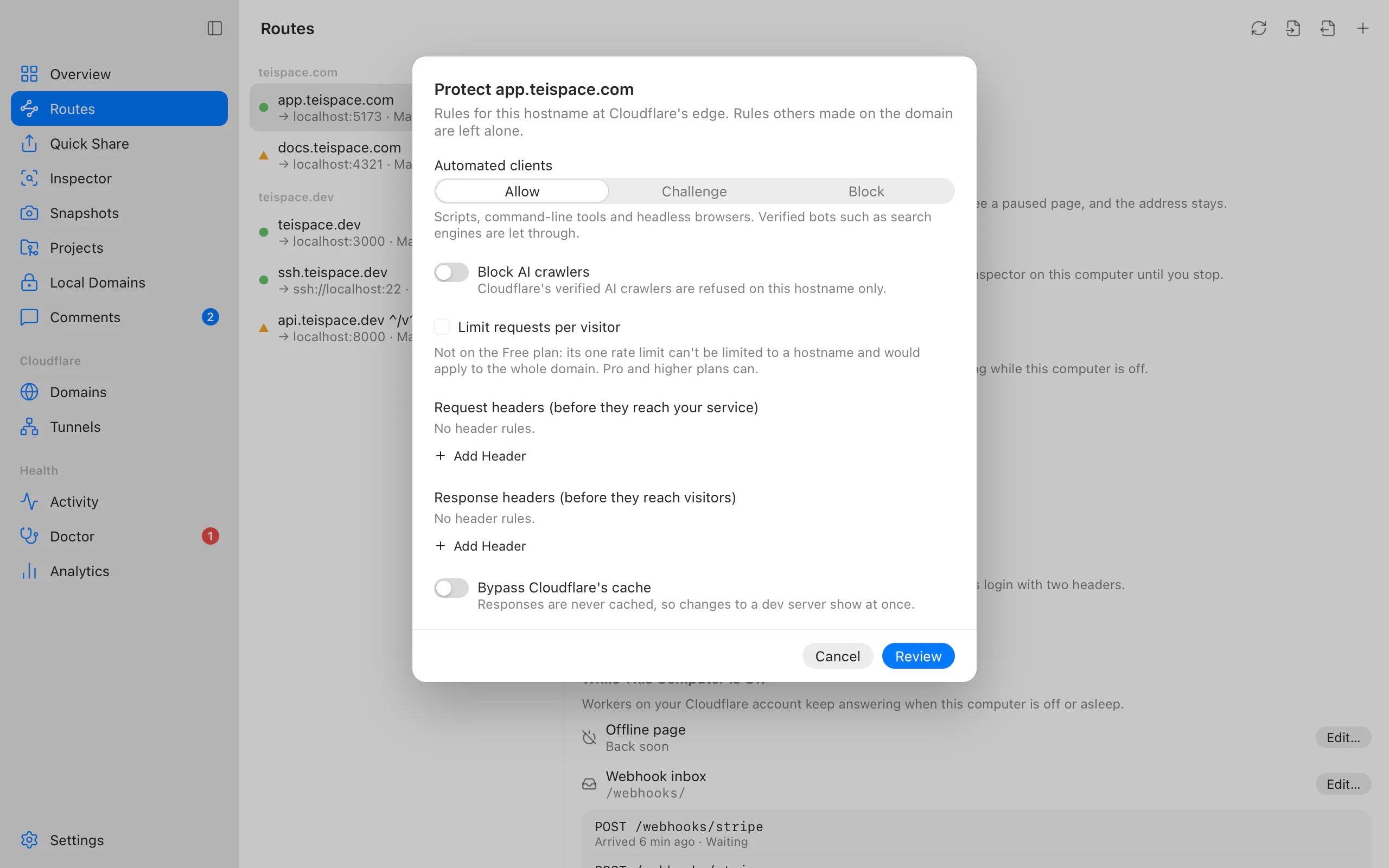
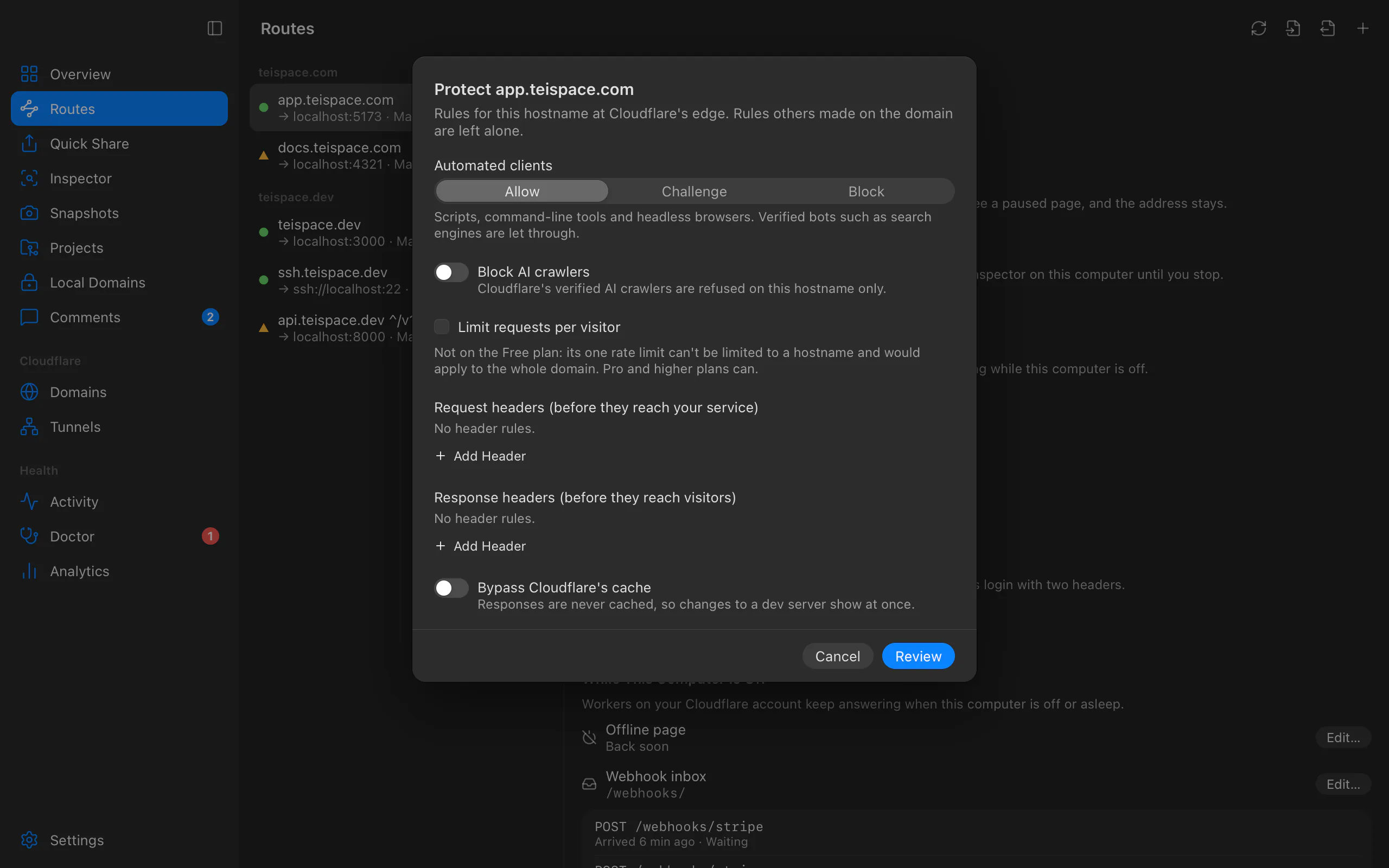
Protect a hostname in the app
Open Edit Protection…, from any of:
- a route in Routes, in its Edge Protection section ("Enforced by Cloudflare for this hostname only, so it keeps working while this computer is off.");
- the route's Edit Route sheet, under Advanced;
- the shield button (Protect at Cloudflare) on a share on your domain.
In Protect app.yourhost.com, choose:
- Automated clients: Allow, Challenge or Block.
- Block AI crawlers.
- Rate limit: turn on Limit requests per visitor, then Requests per Period and what happens Above the limit (Block or Challenge).
- Header rules: Add Header under Request headers (before they reach your service) or Response headers (before they reach visitors), each with Set, Add (response only) or Remove.
- Bypass Cloudflare's cache.
Rules on yourhost.com shows how many custom rules, rate limiting rules, Transform Rules and Cache Rules the domain uses of its plan's quota.
Choose Review, read the plan, and choose Apply Rules (Remove Rules when you turn everything off). The notification "Edge protection updated for app.yourhost.com" has Undo, which puts the previous settings back.
From the terminal
teitunnel protect app.yourhost.com                     # what it has now, and the quotas
teitunnel protect app.yourhost.com --bots challenge --block-ai
teitunnel protect app.yourhost.com --rate-limit 30/1m  # Pro plans and up
teitunnel protect app.yourhost.com --rate-limit 100/10s:challenge
teitunnel protect preview.yourhost.com --set-response-header X-Robots-Tag:noindex
teitunnel protect api.yourhost.com --remove-request-header Cookie
teitunnel protect dev.yourhost.com --bypass-cache      # never cache a dev server
teitunnel protect app.yourhost.com --off # remove every rule Teitunnel added| Flag | Meaning |
|---|---|
--bots off|challenge|block | Automated clients. |
--block-ai / --allow-ai | Block AI crawlers, or stop blocking them. |
--rate-limit N/PERIOD[:ACTION] | Requests per period per visitor; periods 10s, 1m, 2m, 5m, 10m, 1h; action block (default) or challenge. --no-rate-limit removes it. |
--set-request-header NAME:VALUE | Set a header on requests. |
--remove-request-header NAME | Remove a header from requests. |
--set-response-header NAME:VALUE | Set a header on responses. |
--add-response-header NAME:VALUE | Add a header to responses, keeping existing values. |
--remove-response-header NAME | Remove a header from responses. |
--clear-headers | Start from no header rules, then apply the header options given. |
--bypass-cache / --no-bypass-cache | Stop Cloudflare caching responses, or let it cache them again. |
--off | Remove every rule Teitunnel added for the hostname. |
-a, --account, -y, --yes, --json | Account, apply without asking, JSON output. |
Options you don't give keep their current value; header options add to or replace (by name) the current header rules. The hostname is a route, or a share on your domain.
What happens on Cloudflare
The plan ("Protect app.yourhost.com at Cloudflare's edge") lists one step per rule, for example "Challenge automated clients on app.yourhost.com", "Block visitors who send app.yourhost.com more than 30 requests in 60 seconds" or "Change 1 response header on preview.yourhost.com". After the change it shows the domain's quotas as they'll be.
Teitunnel adds, changes and removes only its own rules, one at a time, and never replaces a whole rule list:
| Feature | Cloudflare rule | Phase |
|---|---|---|
| Automated clients, AI crawlers | Custom rule (WAF) | http_request_firewall_custom |
| Rate limit | Rate limiting rule | http_ratelimit |
| Request headers | Transform Rule | http_request_late_transform |
| Response headers | Transform Rule | http_response_headers_transform |
| Bypass the cache | Cache Rule ("cache": false) | http_request_cache_settings |
Every rule matches http.host eq "<hostname>" and is marked teitunnel: in its
description; Teitunnel also remembers the rules' ids. Rules you or others made in the
dashboard are counted toward the quotas but never changed, moved or removed.
"Automated clients" means a request that isn't from a verified bot and has the user agent
of an automated client (empty, curl, wget, python-requests, headless browsers and
similar). Bot scores are an Enterprise feature, so Teitunnel doesn't use them.
The cache bypass is added as the last Cache Rule of the domain. Cache Rules stack, and when several set the same thing the last matching one wins, so the bypass holds over the domain's other Cache Rules (rule order).
Your plan's limits
Cloudflare counts rules per domain, and Teitunnel shows how many are used (yours and others') before and after each change:
| Free | Pro | Business | |
|---|---|---|---|
| Custom rules (bots, AI crawlers) | 5 | 20 | 100 |
| Rate limiting rules | 1 | 2 | 5 |
| Rate limit periods | 10 s | up to 1 min | up to 10 min |
| Transform Rules (headers, URL rewrites) | 10 | 25 | 50 |
| Cache Rules | 10 | 25 | 50 |
Each protected hostname uses at most two custom rules, one Transform Rule per direction and one Cache Rule. A header list holds up to 20 rules.
Rate limits need Pro or higher
On the Free plan, the one rate limiting rule can't match a hostname (Cloudflare only lets it match paths there), so it would apply to the whole domain. Teitunnel refuses instead of doing that. On Pro and higher, hostnames with the same limit share one rule, so a second hostname doesn't use up the quota. If the plan has no room for another limit, the plan says which hostnames use the existing one and what it is: use the same limit, or remove it from them first.
Service tokens for machines
A login stops people who aren't allowed, and also CI jobs, scripts and other servers. A service token lets a machine through with two headers:
curl https://api.yourhost.com/health \
  -H "CF-Access-Client-Id: $CF_ACCESS_CLIENT_ID" \
  -H "CF-Access-Client-Secret: $CF_ACCESS_CLIENT_SECRET"
Create one in the app
- Open the route in Routes. Under Service Tokens, choose New Service Token….
- Give it a Name: what it's for, e.g.
CIorBackup script(1 to 40 characters). - Review the plan and choose Create Token.
- Save the Secret Now shows the
CF-Access-Client-Id; the secret is copied without being displayed. Use Copy Both Headers and paste them into your CI's secrets.
Cloudflare shows a secret only once, and Teitunnel doesn't keep it: the app holds it in memory for 10 minutes, and stores only the token's id and client id. If you miss it, Rotate the token for a new secret.
If the hostname has no login yet, it gets one that only service tokens pass ("Require a login on app.yourhost.com that only service tokens pass"): people opening it in a browser are refused, and the plan warns you. Tokens are valid for a year; the list shows when each expires. Rotate ("Give "CI" a new secret?") replaces the secret, and the old one stops working at once. Revoke takes the token out of the login and deletes it; machines using it can no longer reach the hostname. Changing who may log in never removes the tokens.
From the terminal
teitunnel service-token create api.yourhost.com --name CI   # prints both headers once
teitunnel service-token ls api.yourhost.com
teitunnel service-token rotate api.yourhost.com CI           # a new secret, printed once
teitunnel service-token revoke api.yourhost.com CI
A token is named by its name or id. create defaults to the name CLI.
Service tokens are part of Cloudflare Zero Trust, which must be set up once on the account (free for up to 50 users; 50 service tokens per account). Teitunnel changes only tokens it created.
Permissions
Edge rules need Zone · Zone WAF · Edit and Zone · Transform Rules · Edit on the domain, and bypassing the cache also needs Zone · Cache Rules · Edit; service tokens need Account · Access: Service Tokens · Edit. A token without Cache Rules keeps every other edge rule working: only the cache bypass asks for it. Tokens created from Teitunnel's link and OAuth sign-in ask for them; a credential without them gets the usual in-place fix that names what to add.
AI agents
Agents use get_protection, protect_hostname (a plan, applied with apply_plan after
your approval), service_token_list, service_token_create and service_token_revoke
(AI agents). A token an agent creates is returned to it once,
after you approved it, and marked sensitive.
Troubleshooting
Related
Last updated on
Require a login
Protect a Cloudflare Tunnel route with a login using Cloudflare Access: a one-time code by email, or GitHub or Google sign-in, for the people, email domains or GitHub teams you list, set up in one step.
Project files
Declare a project's routes, shares, Snapshots and local domains in a teitunnel.yml checked into its repository, and bring them up with teitunnel up or one click in the app: previewed first, idempotent, never holding a secret.