Reference
Doctor checks
Every problem Teitunnel's Doctor checks for in Cloudflare Tunnel, DNS, connectors, WARP settings and local domains, what it means and how to fix it.
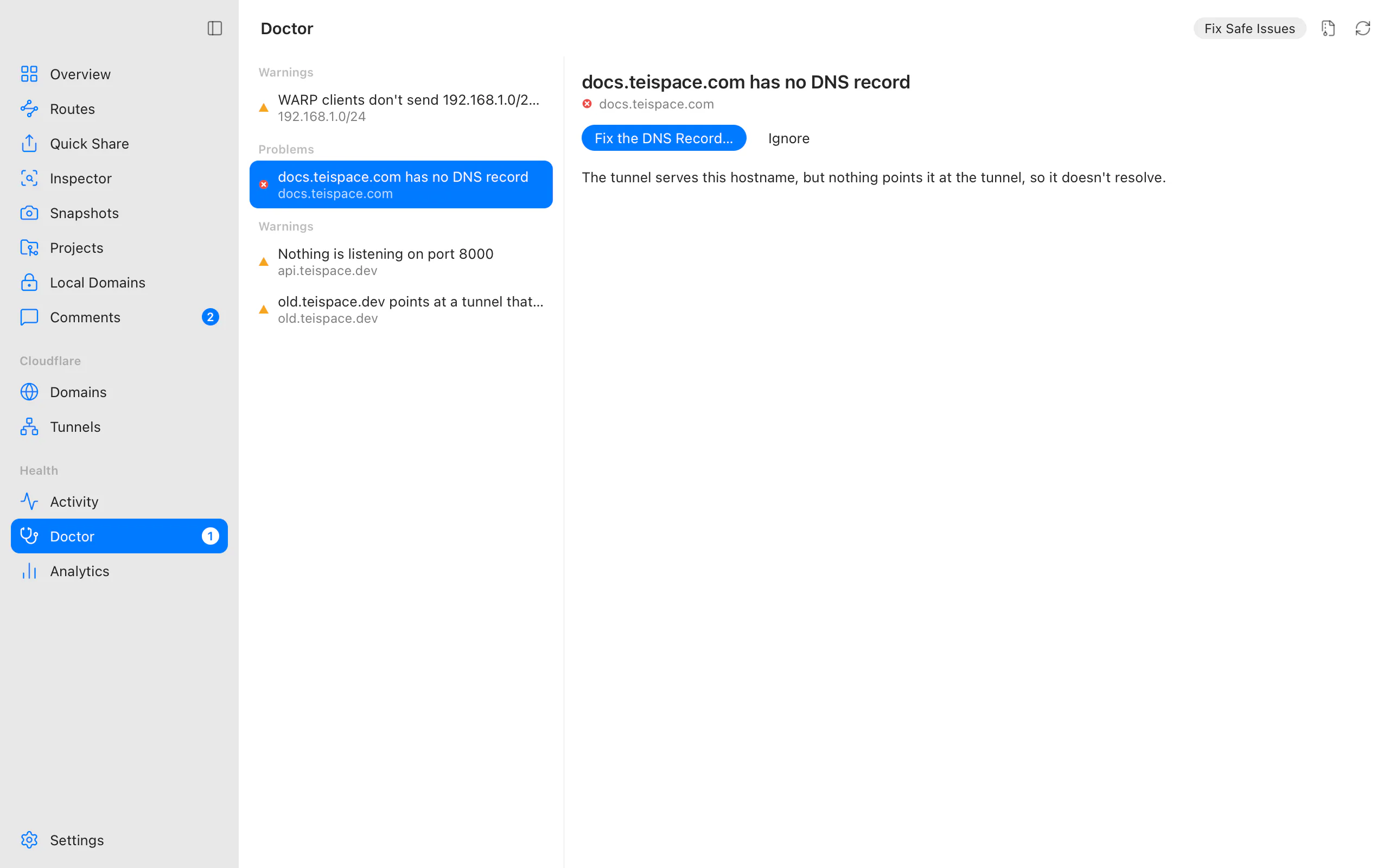
The Doctor (⌘8, or Ctrl+8 on Windows and Linux) checks cloudflared, your accounts, domains, DNS records, connectors, private network settings and local domains: every five minutes in the background, and whenever you open it or choose Check again. Each problem comes with a fix or clear guidance, grouped as Problems, Warnings and Suggestions.
- Fix… on a problem opens its fix. Fixes that change Cloudflare are previewed like any other change, and undone step by step if something fails.
- Fix Safe Issues applies, without review, the fixes that only repair DNS records and remove orphaned records and logins, and only when their plan touches nothing Teitunnel didn't create. Anything else is left for you ("2 need your review.").
- Ignore hides a problem (and its notifications) until you bring it back with Show Ignored Issues.
A new error sends one notification until it's resolved. Connector outages have their own notifications, and an account that can't be reached (usually a network blip) doesn't notify.
From the terminal
teitunnel doctor            # every issue; exits with 1 when there's an error
teitunnel doctor --fix      # apply the safe fixes after showing them
teitunnel doctor --fix -y   # without asking
teitunnel doctor --json     # for scripts and monitoring
AI agents get the same checks through the MCP tools doctor and fix_issue, and editors
through Run Doctor (integrations).
Each problem's check id (in code type below) appears in --json, diagnostics exports and
bug reports.
cloudflared
| Check | Level | What it means, and what to do |
|---|---|---|
binary.missing | Problem | cloudflared isn't installed. Routes and Quick Share need it. Install cloudflared installs a verified copy. |
binary.unsupported | Warning | cloudflared is too old. Some features need a newer version. Install cloudflared updates to the managed copy. |
Accounts and domains
| Check | Level | What it means, and what to do |
|---|---|---|
account.unreachable | Problem | Couldn't check an account. Usually a network problem; the detail says what Cloudflare answered. If the token was revoked or expired, Connect Again…. |
auth.missing_scope | Warning | This account's token can't manage routes. Routes need Cloudflare Tunnel · Edit and DNS · Edit. Create a token with those permissions and connect it again. |
zone.pending | Warning | A domain is waiting for its nameservers. Routes on it won't work until the registrar uses the Cloudflare nameservers listed in the detail. |
Routes and DNS
| Check | Level | What it means, and what to do |
|---|---|---|
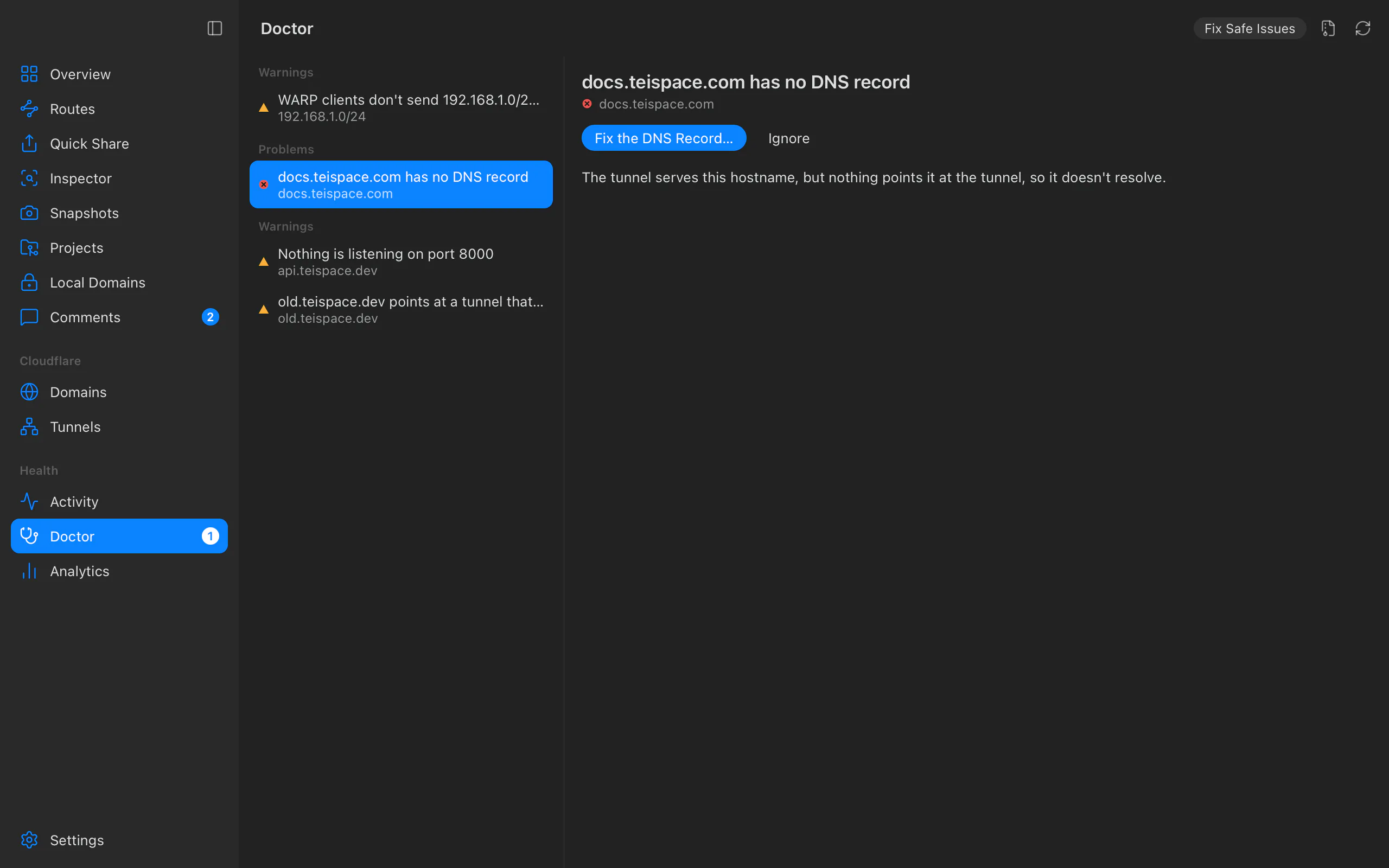
dns.missing | Problem | A hostname has no DNS record. The tunnel serves it, but nothing points it at the tunnel, so it doesn't resolve. Fix the DNS Record adds it (a safe fix). |
dns.not_proxied | Problem | A hostname isn't proxied through Cloudflare. Tunnel hostnames only work with the orange cloud on. Fix the DNS Record turns it on (a safe fix). |
dns.wrong_target | Problem | A hostname points at another tunnel. Requests don't reach this machine. Fix the DNS Record points it at this machine's tunnel. |
dns.conflict | Problem | Another record answers for a hostname. A record Teitunnel didn't create takes the traffic. Fix the DNS Record replaces it, after you confirm. |
dns.orphan_owned | Warning | A record Teitunnel created points at this machine's tunnel but has no route (visitors get a 404), or at a tunnel that no longer exists (visitors see a Cloudflare error). Delete the Record (a safe fix), or add a route for it. |
dns.orphan_foreign | Warning | The same, for a record Teitunnel didn't create. Delete the Record only after you confirm. |
origin.not_listening | Warning | Nothing is listening on port 3000. Start the app the route sends traffic to; visitors see an error until it runs. |
origin.tls | Warning | An HTTPS origin's certificate isn't trusted. The connector couldn't verify it. Use http:// for a local origin, or a certificate this machine trusts (or turn on Accept self-signed certificates in the route's Origin settings). |
inspect.orphan | Problem | A route points at an inspector that isn't running. The route was being inspected by an app or command that stopped without restoring it, so visitors get an error. Restore the Route points it back at its own service (a plan, as always). |
access.orphan | Suggestion | A domain still has a login but no route. Teitunnel added a login for a route that was removed outside Teitunnel. It protects nothing now, but would ask for a login if the hostname were routed again. Remove the Login (a safe fix; only logins Teitunnel created), or add the route back. |
host.orphan | Suggestion | A hostname has no route, but Teitunnel's settings for it are still in Cloudflare. Its offline page or webhook inbox Worker, edge rules or service tokens outlived the route (an older version, a DNS record deleted in the dashboard, an interrupted change, another computer). Found only when the hostname has no DNS record at all, so nothing anywhere serves it. Clean Up removes just what Teitunnel created (a safe fix). |
config.drift | Warning | This machine's routes were changed outside Teitunnel (in the dashboard, or with another tool). Keep Changes accepts them; Restore Mine puts back what Teitunnel set up. |
_owned means Teitunnel created the record, so Fix Safe Issues may delete it;
_foreign records are only deleted after you confirm.
Connectors
| Check | Level | What it means, and what to do |
|---|---|---|
tunnel.no_connections | Problem | This machine's connector isn't running. Its routes don't answer until it runs. Start Connector. |
tunnel.crash_loop | Problem | This machine's connector keeps stopping. cloudflared exited several times in a row; the detail has the last exit code and its logs say why. Start Connector retries. |
tunnel.degraded | Warning | This machine's connector lost its connection. cloudflared is running but not connected to Cloudflare. It reconnects on its own; check the network if it persists. |
tunnel.stale_connections | Warning | Cloudflare still lists connections for this machine's tunnel while its connector isn't running: leftovers, or another machine runs the tunnel with its token. Clean Up Connections if nothing else should run it. |
tunnel.other_connectors | Warning | Another machine also runs this machine's tunnel. Cloudflare splits requests between them, so some visitors reach the other machine. Stop cloudflared there (its logs in Tunnels help find it), or delete and re-add the routes to get a new tunnel token. |
tunnel.duplicate_local | Warning | Another cloudflared on this machine runs this machine's tunnel. Stop the other one from Tunnels. |
tunnel.foreign_running | Suggestion | cloudflared is running outside Teitunnel (a Quick Tunnel, a named tunnel, or a background service). For your information: Teitunnel leaves it alone. Stop it from Tunnels, or import its routes. |
tunnel.unused_owned | Suggestion | This machine's tunnel has no routes. It's kept so adding a route is quick. Delete the Tunnel if you don't need it. |
Private networks
These appear once you share a private network (a range or a hostname). Only you can fix them: in the Cloudflare Zero Trust dashboard, or for a hostname, in this machine's DNS.
| Check | Level | What it means, and what to do |
|---|---|---|
network.excluded | Warning | WARP clients don't send a range to this machine. The default device profile's Split Tunnels exclude it (the detail names the entry). Remove the entry, or narrow it so it no longer covers the range. |
network.not_included | Warning | WARP clients don't send a range to this machine. Split Tunnels are in include mode and don't list the range. Add it. |
network.proxy_off | Warning | WARP clients can't reach private networks. Gateway's proxy is off. Turn it on for TCP (and UDP, for services that use it) in the network settings. The evidence lists the ranges and hostnames shared. |
network.hostname_unresolved | Warning | A private hostname doesn't resolve on this machine. The connector looks up private hostnames with this machine's DNS, so WARP clients can't reach the name until it resolves here. Add it to the hosts file or to your local DNS server. |
Network and system
| Check | Level | What it means, and what to do |
|---|---|---|
net.udp_blocked | Warning | This network seems to block QUIC (UDP). cloudflared falls back to HTTP/2, which works but can be slower to reconnect. If connections keep dropping, check firewall rules for UDP port 7844. |
net.clock_skew | Warning | This machine's clock may be wrong. Certificates look expired or not yet valid. Turn on automatic date and time in your system settings. |
Local domains
These appear once you have local domains. Their fixes run on this computer; nothing changes in Cloudflare.
| Check | Level | What it means, and what to do |
|---|---|---|
local.stopped | Problem | Local domains aren't being served. The detail says why. Restart Local Domains. |
local.port | Problem or Suggestion | Local domains can't start: port 443 isn't available (a problem), or Local domains use port 8443 instead of 443 (a suggestion: addresses include the port number). Another app is using the port, or only administrators may use it. Quit the other app and Restart Local Domains. |
local.untrusted | Warning | Browsers don't trust your local domains yet. Teitunnel signs their certificates with its own certificate authority, which only works for .localhost, .test and .local names. Trust Local Domains once. |
local.dns | Problem | The name server for .test names isn't running. Restart Local Domains. |
local.resolver | Warning | A .test name doesn't reach this computer yet. It needs a one-time entry that sends .test names to Teitunnel's name server, which needs administrator rights. Set Up .test Names… shows the command to run. |
local.elsewhere | Warning | A name points at another computer. The system resolves it to an address that isn't this computer. Check your hosts file or DNS settings, or use a .localhost name. |
local.ca_expiry | Warning | The local certificate authority expires soon (within 30 days). Replace Certificate Authority makes a new one to trust; your local domains stay as they are. |
local.certificate | Warning | A local domain's certificate expires soon (within 5 days) and wasn't renewed by itself. Renew Certificates. |
What the Doctor doesn't check
Workers Teitunnel puts in front of routes (offline page, webhook inbox), Snapshots and edge protection aren't part of the Doctor's checks; their own sections in the app show their state.
Diagnostics
Help ▸ Export Diagnostics… saves a file to attach to a bug report: app logs, the Doctor report and versions. Tokens, keys and passwords are removed; hostnames and account ids stay so the problem can be understood. You see what's in it before it's saved.
Tick Include cloudflared's own report to add cloudflared tunnel diag for this
machine's connector: its logs, metrics, system details and traceroutes to Cloudflare. It
takes up to two minutes, and Teitunnel can't redact it, so look through it before you share
it. Cloudflare support often asks for this file.
Related
Last updated on
Server API
Automate a Teitunnel server with its JSON API: API keys, every endpoint, the preview → apply flow with fingerprints, change types, errors and security.
Troubleshooting Cloudflare Tunnel
Fix Cloudflare Tunnel and Teitunnel errors — Error 1033, 502 Bad Gateway, 530, 524 timeouts, SSL handshake failures, too many redirects, blocked hosts, invalid access token 9109, Zero Trust not set up, missing permissions, Workers and D1 limits, Quick Share limits and local domains.