Guides
Offline page
Show your own page instead of Cloudflare's error 1033 when the computer serving a route is off or asleep, with a small Worker on your own Cloudflare account.
When the computer that serves a route is off, asleep or offline, Cloudflare can't reach its tunnel and shows visitors error 1033, a Cloudflare error page that looks like the site is broken. An offline page replaces it with a page of your own ("Back soon"), served by a small Worker on your Cloudflare account, so it works while your computer is off.
Use it for routes people visit when you're not watching: a portfolio or side project on a laptop, a home server that restarts, a demo you send before a meeting. For a static site that must stay fully online, publish a Snapshot instead.
Turn it on in the app
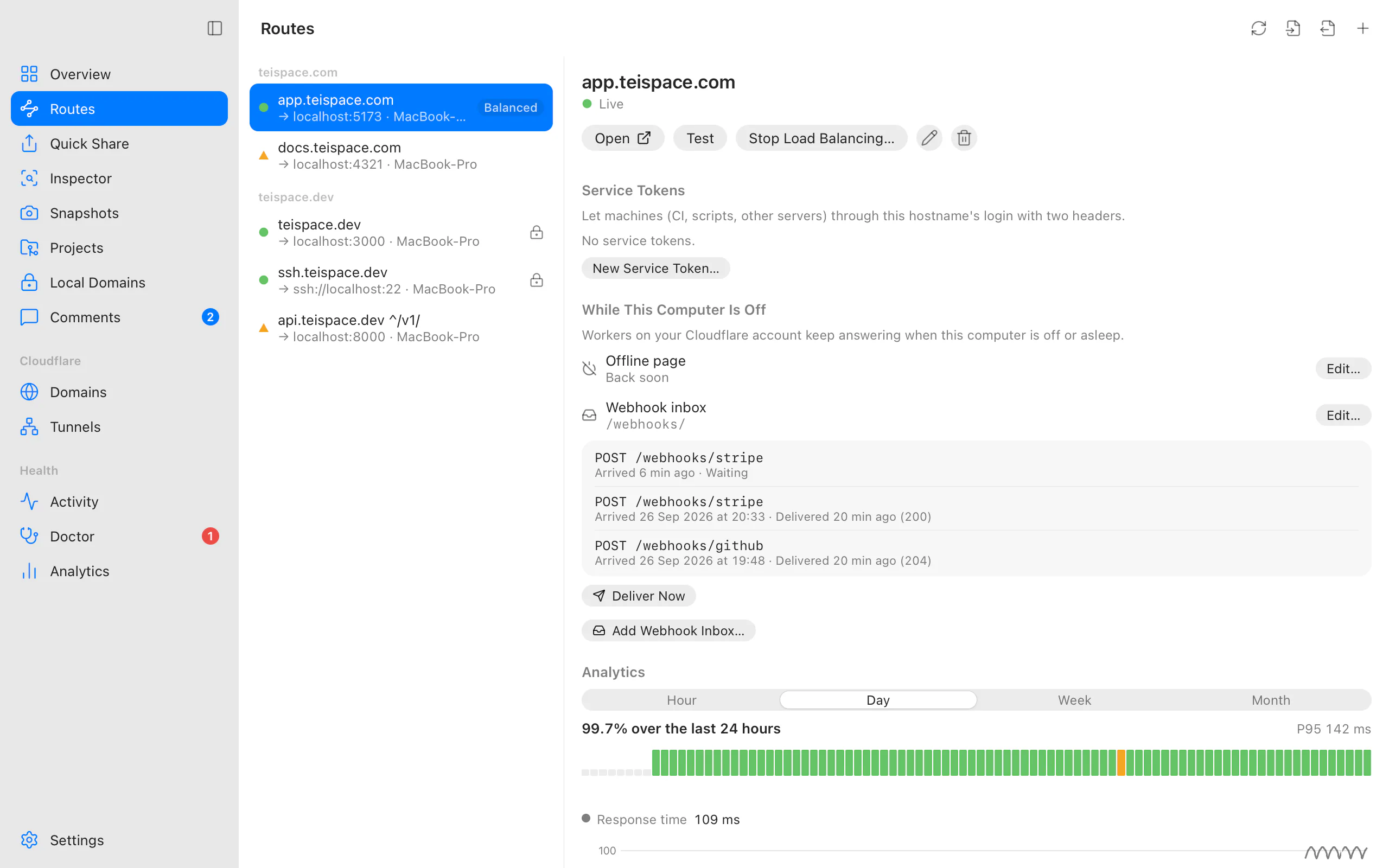
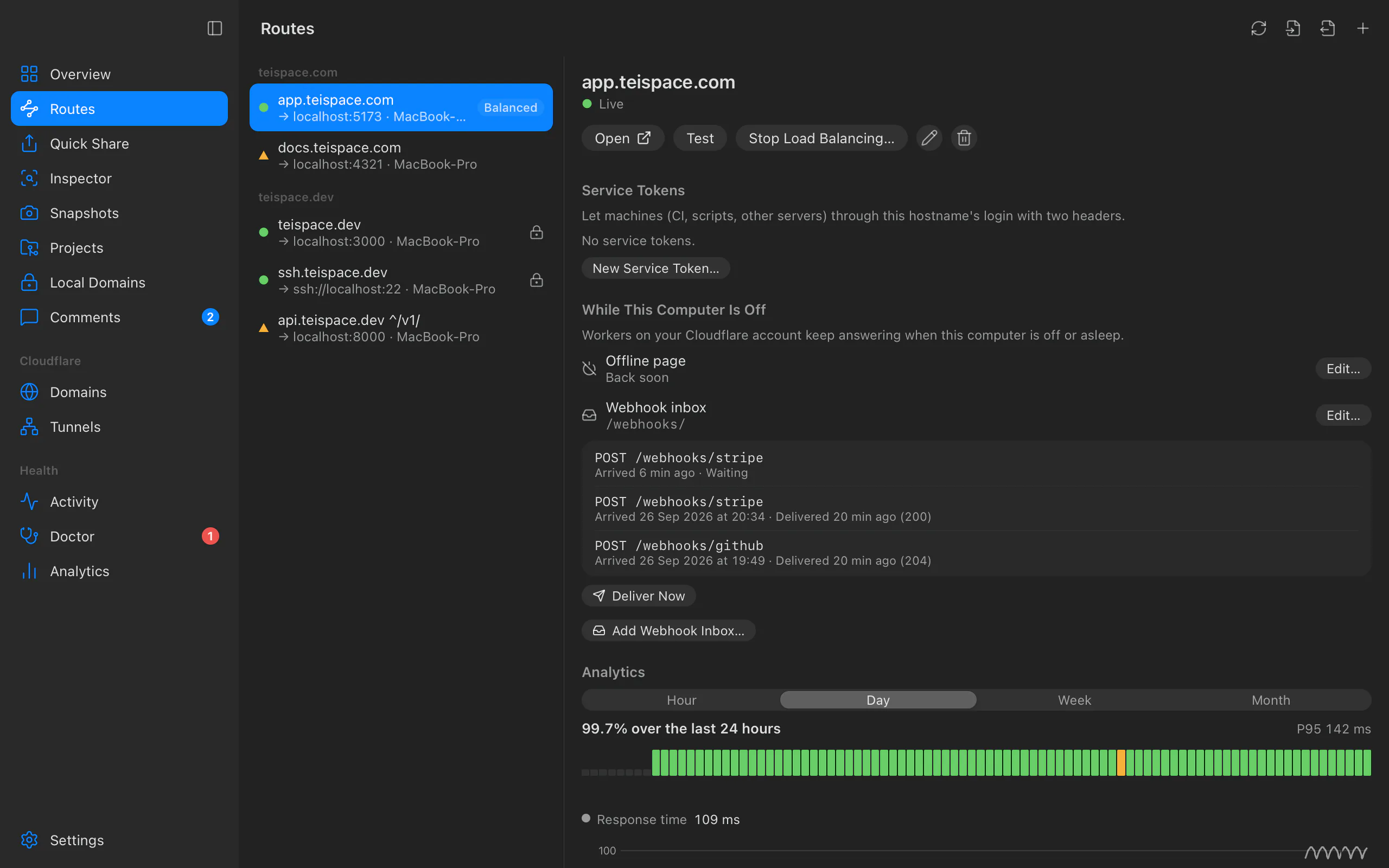
Open the route in Routes. Under While This Computer Is Off ("Workers on your Cloudflare account keep answering when this computer is off or asleep."), choose Turn On… next to Offline page.
In Offline Page for app.yourhost.com, give it a Title (up to 120 characters) and a Message (up to 1,000 characters; each line becomes a paragraph).
Optionally turn on Also when the app doesn't answer: it shows the page too when the tunnel is up but the local service returns 502 or 504, for example because the app on this computer crashed or wasn't started.
Choose Review, read the plan, and choose Apply. The plan warns about the cost (see Limits and costs). The route then shows Edit… and Remove for the page.
From the terminal
teitunnel offline app.yourhost.com --title "Back soon" --message "We're updating the demo. Try again in an hour."
teitunnel offline app.yourhost.com --when-app-down      # also for 502/504 from the app
teitunnel offline app.yourhost.com                      # what it has now
teitunnel offline app.yourhost.com --off                # remove it
--title turns the page on; --title, --message and --when-app-down change only what
you pass and keep the rest. Without options, it prints the current title, message and
setting. -a, --account chooses the account and -y, --yes applies without asking.
What happens on Cloudflare
The plan ("Show an offline page on app.yourhost.com") has two steps:
- Upload the offline page Worker for app.yourhost.com. It's named
tt-offline-and a short hash of the hostname. - Run it for
app.yourhost.com/*"(fails open past the free daily requests)": a Worker route on the hostname.
Removing it stops running the Worker for the pattern, then deletes the Worker. Undo in Activity reverses either change; a deleted Worker is restored from its recorded settings. Removing a hostname's last route removes its offline page too.
Teitunnel only changes Workers and Worker routes it created. If another Worker already runs on the same pattern, the plan stops with "Another Worker (…) already runs for app.yourhost.com/*. Teitunnel doesn't change Workers it didn't add." and changes nothing.
How it works
The Worker passes every request on to your tunnel unchanged, without buffering bodies; uploads, streaming and WebSockets work as before, and a working response is never changed. Only when Cloudflare answers 530 (error 1033: no connector for the tunnel), or 502/504 with Also when the app doesn't answer, does it answer instead:
- Pages (a browser navigation): your page, with status 503,
Retry-After: 60,Cache-Control: no-storeandnoindex, so browsers and search engines treat it as temporary and never cache or index it. It follows the visitor's light or dark setting, loads nothing from elsewhere, and your text is always shown as text. - Everything else (API calls, images, scripts): a short
503JSON answer{"error": "offline", "message": "<title>"}.
Limits and costs
| Cloudflare free plan | |
|---|---|
| Requests that run the Worker | Every request to the hostname, even while this computer is on |
| Free Worker requests | 100,000 a day for the whole account, reset at 00:00 UTC |
| Past the limit | The route fails open: the site keeps working without the Worker |
The Worker route is created to fail open (verified on a live Free-plan account on 2026-09-25: the dashboard shows "Request limit failure mode: Fail open (proceed)"). Once the day's free requests are used up, requests go straight to your tunnel as if there were no Worker; only the offline page is missing until 00:00 UTC. Your site never goes down because of the limit. That's why the page is off by default and chosen per route, and why the plan warns: "Every request to app.yourhost.com/* runs a Worker and counts against your account's 100,000 free Worker requests a day. Past that, the site keeps working without it."
Permissions
Account · Workers Scripts · Edit and Zone · Workers Routes · Edit on the route's domain. Tokens created from Teitunnel's link and OAuth sign-in include both. If one is missing, Teitunnel shows what to add and continues when you're back.
Troubleshooting
Related
Last updated on
Comments
Let reviewers pin comments to any spot on a share or Snapshot, reply and resolve; read and answer them in Teitunnel, the terminal or from an AI agent.
Webhook inbox
Keep webhooks (Stripe, GitHub, anything) while your computer is off, and deliver them in order when it's back, with a Worker and a D1 database on your own Cloudflare account.