Guides
Snapshots
Publish a static copy of your site to your own Cloudflare account, so a preview stays online while your computer sleeps: from a folder, a build, or a running dev server, with versions, rollback, a password or a login.
A Quick Share or a route shows your site only while this computer is on and connected. A Snapshot is a static copy of it, hosted on your own Cloudflare account as a Worker with static assets, so a preview, a demo or a design review stays online when you close the lid. Nothing runs on Teitunnel's servers: there are none.
Use a Snapshot when the thing you want to show is a set of files (a built site, a prototype, docs, a landing page) and it has to stay up without you. Use a Quick Share or a route when people need the live app, its API or its database.
Free on Cloudflare's free plan
Requests for a Snapshot's files are free and unlimited on every Cloudflare plan. Only a password or comments make each visit run the Snapshot's Worker, which counts toward Cloudflare's free 100,000 Worker requests a day. See Limits and costs.
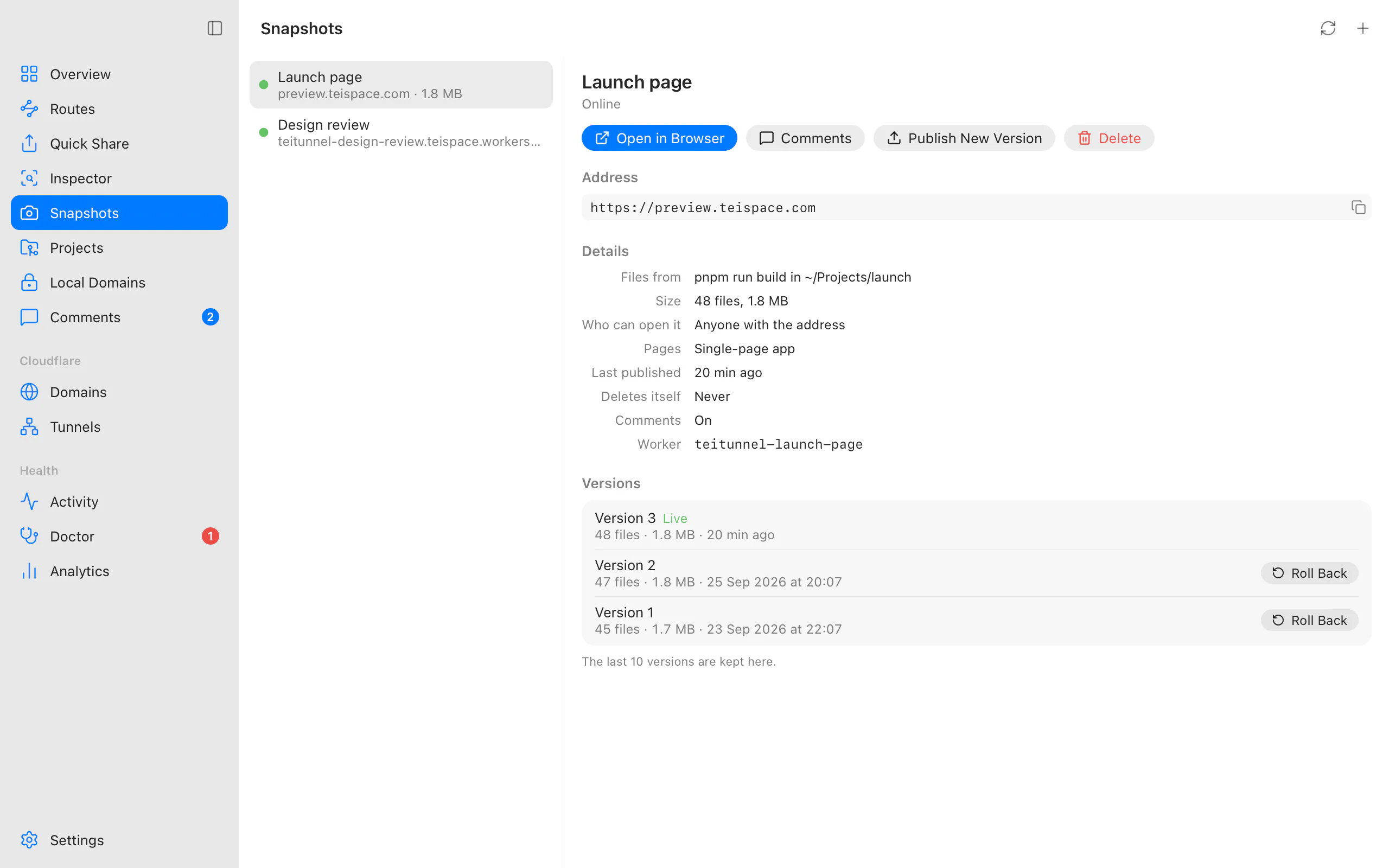
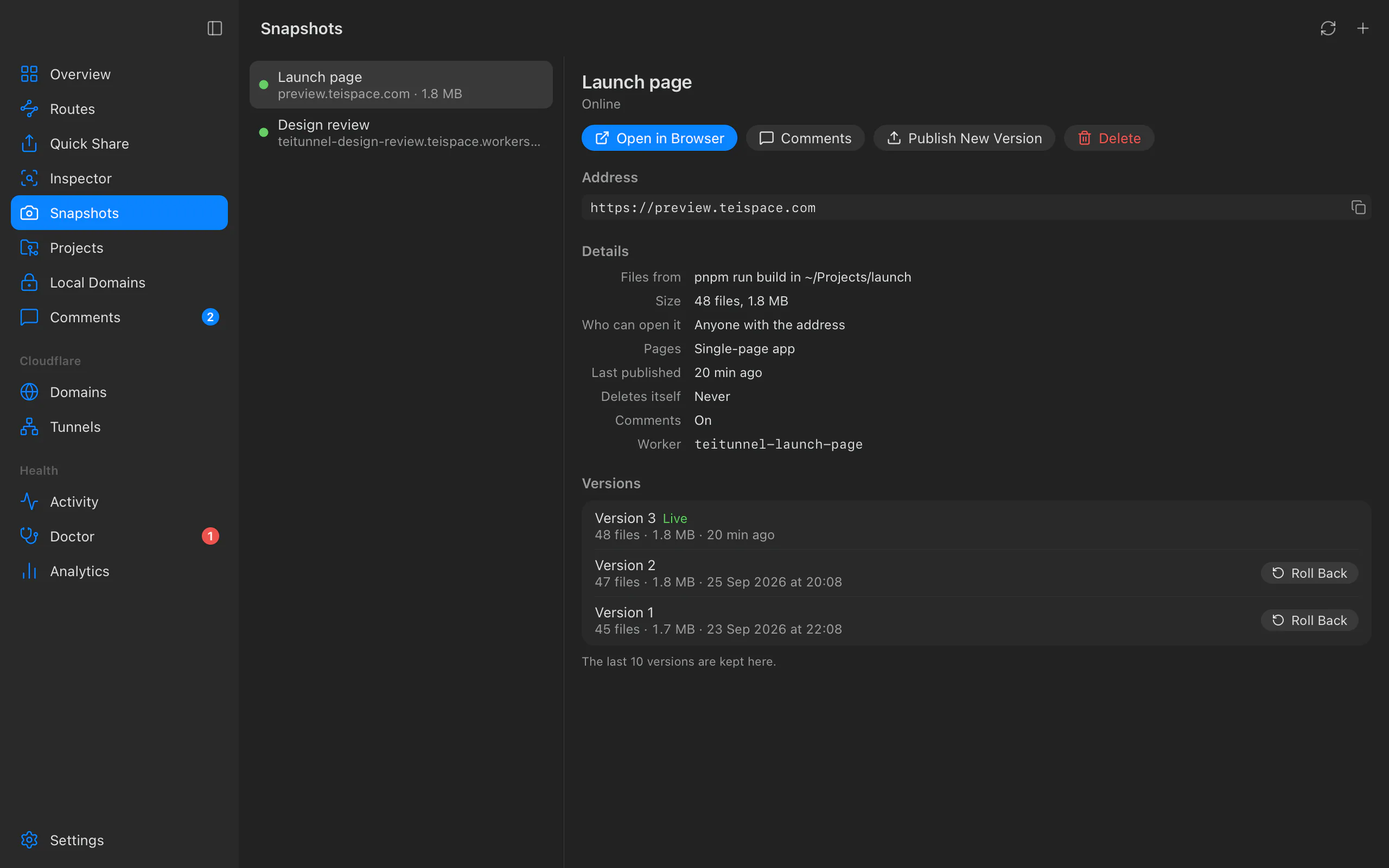
Publish one
Choose where the files come from
In Snapshots, choose Publish a Snapshot. Under Files, pick one:
- Folder: a folder of files, published as it is (for example a
distoroutfolder). Choose it with Choose Folder…. - Build a Project: choose the project folder. Teitunnel recognises the project and
shows exactly what it will run and publish, for example "Vite project. Building runs
pnpm run buildin the project folder, then publishesdist." The build runs only when you choose Build and Continue. - Running Site: captures a site running on this computer or its network, such as a
dev server at
http://localhost:5173, for apps that have no static export. Type its Address and choose Capture.
On a Quick Share card or a share on your domain, the camera button (Publish a Snapshot) opens this sheet with Running Site and the share's address filled in.
Check what's ready
The sheet shows what was found ("Ready: 142 files, 3.1 MB.") and anything it left out ("Left out (3): .env, .git, node_modules"). A capture that hit its limit says "Stopped at the limit: some pages weren't captured.", and links that answered with an error are counted.
Name it and give it an address
- Name: also names its Worker in your Cloudflare dashboard (
teitunnel-<name>). Up to 40 characters: letters, digits, spaces, dots,-and_. - Address:
- My Domain: a Hostname on one of your domains, like
preview.yourhost.com. Cloudflare creates its DNS record and certificate. - workers.dev: your account's free
…workers.devaddress.
- My Domain: a Hostname on one of your domains, like
- Who can open it (see below).
- Single-page app: paths without a file show
index.html, for apps that route in the browser. - Delete after: Never, 1 day, 7 days or 30 days.
- Comments: reviewers can pin comments to any spot on the pages (see Comments).
Review and publish
Choose Review, read the plan, and choose Publish. A progress line shows "Uploading 120 of 142 files (2.8 MB)". When it's done: "Launch page is online", and the Snapshot shows its address with Open in Browser.
Where the files come from
A folder
Everything inside the folder is published, except what should never leave your computer:
hidden files (dotfiles), .env files, private keys, .git and node_modules. The review
lists what was left out. Nothing outside the chosen folder is uploaded either: a symbolic
link that points outside it is refused with "… is outside the chosen folder, so it wasn't
uploaded."
A _headers or _redirects file at the top of the folder is applied as Cloudflare's
headers and redirects rules instead of being published as a file.
A build
Teitunnel detects the framework and the output folder it publishes:
| Project | Publishes |
|---|---|
| Vite (React, Vue, Svelte, Solid…) | dist |
Next.js with output: 'export' | out |
| Astro | dist |
SvelteKit with @sveltejs/adapter-static | build |
Nuxt (generate) | .output/public |
| Create React App | build |
| Gatsby | public |
| Docusaurus | build |
| VitePress | docs/.vitepress/dist (or .vitepress/dist) |
| Angular | dist/<project>/browser |
| Another project with a build script | dist |
Plain HTML (an index.html, nothing to build) | the folder itself |
The build runs with the project's own package manager (pnpm, npm, Yarn or Bun, from its lockfile), started directly and never through a shell. It's stopped after 15 minutes.
A Next.js app without output: 'export' builds a server app, and a SvelteKit app without
the static adapter produces no files; the sheet says so and suggests capturing the running
app instead.
A running site
Teitunnel captures the site the way a visitor would: it follows the site's own links, stylesheets, scripts and sitemap, stays on that address, and stops at 500 pages, 5,000 files or 500 MB. Only a site on this computer or its local network can be captured ("… isn't on this computer or its network.").
Use it for apps without a static export: server-rendered pages are saved as they looked at that moment. Anything that needs the server afterwards (forms, API calls, logins) won't work in the copy.
Who can open it
| Choice | What visitors see |
|---|---|
| Anyone with the address (default) | The site. |
| Anyone with the password | A small password page first. |
| People I choose (Cloudflare login) | A Cloudflare Access login, like Require a login for routes. |
A password needs at least 6 characters. It's never stored anywhere: Teitunnel makes a salted hash (PBKDF2-SHA256) on this computer and keeps it only as a secret of the Snapshot's Worker. When you publish a new version, leave the password empty to keep the current one.
A login needs a hostname on one of your domains ("A login needs a hostname on one of your domains. Use a password instead, or choose a hostname."), and Cloudflare Zero Trust set up once on the account (free for up to 50 users).
Updates, versions and rollback
Publish New Version takes the files from the same place again (or from a new one), or choose Current Files to keep the files and change only the settings. Files are identified by their content, so only new and changed files are uploaded; if an upload is interrupted, publishing again doesn't send what Cloudflare already has. The new version goes live only once every file is there, in one switch: visitors never see half a site.
The Snapshot lists its last 10 versions with their file count, size and date. Roll Back on an earlier one asks "Make version 3 live?" and, on Make Live, visitors get it right away, with the settings it had. The version that was live stays available.
What happens on Cloudflare
Every change is a plan you review first, and it's undone step by step if something fails. Publishing a new Snapshot is:
- Upload the new or changed files ("files Cloudflare already has aren't sent again").
- Create the Worker
teitunnel-<name>with these files. - Login, if you chose one: the Access application is created before the Snapshot has an address, so it's never reachable without it.
- Address: "Serve preview.yourhost.com with the Snapshot (Cloudflare adds its DNS record and certificate)", or "Answer at …workers.dev".
A new version uploads a Worker version and then makes it live once every file is uploaded; a rollback makes an older version live again.
Teitunnel never takes a hostname in use: a hostname that a route or another Worker serves
is refused. A DNS record Teitunnel didn't create at the hostname is deleted only when you
confirm it in the review (Delete the DNS records above; --replace in the terminal),
because Cloudflare can't attach a hostname over it. A hostname a teammate has
reserved asks for confirmation too.
Delete ("Delete Launch page?") removes the address, then the login, then the Worker with every version. Its address stops working, and this can't be undone.
Delete after
With Delete after set, the app deletes the Snapshot on Cloudflare once the time is up.
It checks at launch and then every hour, so the Snapshot goes when the app next runs after
it expired. teitunnel up and teitunnel serve don't delete expired Snapshots.
From the terminal
# A folder, on your domain
teitunnel snapshot publish ./dist --on preview.yourhost.com

# Build the project in this folder first, delete after a week
teitunnel snapshot publish . --build --name "Launch page" --expires 7d

# Capture a running dev server, behind a password
teitunnel snapshot publish --crawl http://localhost:5173 --password

# Only people at your company can open it
teitunnel snapshot publish ./out --on docs-preview.yourhost.com --allow @yourhost.com

teitunnel snapshot ls
teitunnel snapshot update "Launch page"              # same source again; only changes upload
teitunnel snapshot update "Launch page" --settings-only --no-password
teitunnel snapshot versions "Launch page"
teitunnel snapshot rollback "Launch page"            # the version before the live one
teitunnel snapshot rollback "Launch page" 3          # a specific version
teitunnel snapshot rm preview.yourhost.com -y| Flag | Meaning |
|---|---|
--on HOSTNAME | A hostname on one of your domains. Default: the account's workers.dev address. |
--name NAME | Its name. Default: the folder's or project's. |
--build | Build the project first, then publish its output folder. |
--crawl URL | Capture a running site instead of a folder. |
--spa | Serve index.html for paths that don't exist. |
--password / --no-password | Ask visitors for a password (read from the terminal, or from TEITUNNEL_SNAPSHOT_PASSWORD), or remove it. |
--allow EMAIL|@DOMAIN | Require a Cloudflare Access login; repeatable. |
--expires 7d | Delete it after this long: 7d, 12h (rounded up to whole days) or a number of days, 1 to 365. |
--comments / --no-comments | Turn comments on or off. |
--or-update | With publish: if a Snapshot with this name exists (here, on another computer or from an earlier CI job), publish a new version of it. |
--settings-only | With update: keep the live files, change only settings. |
--missing-ok | With rm: succeed when there's no such Snapshot. |
-a, --account | The account, when several are connected. |
-y, --yes | Apply without asking. |
--replace | Also allow deleting a DNS record Teitunnel didn't create at the hostname. |
--json | Print the result as JSON. |
Every command shows the plan and asks before applying. A Snapshot is named by its name or
its hostname. --or-update and --missing-ok are what the
pull request previews use, and a
project file can list Snapshots too.
Limits and costs
| Cloudflare free plan | |
|---|---|
| Files per version | 20,000 (checked before uploading) |
| Size of one file | 25 MB (checked before uploading) |
| Requests for files | Free and unlimited |
| Requests with a password or comments | Run the Worker: 100,000 a day per account, shared with every Worker |
| Workers per account | 100 (each Snapshot is one) |
| Versions you can roll back to | The last 10 are listed here |
Comments are kept in one D1 database on your account, teitunnel-data (free: 5 GB,
100,000 rows written a day).
Permissions
Snapshots need Account · Workers Scripts · Edit, and for a hostname on your domains Zone · Workers Routes · Edit on that domain. Comments also need Account · D1 · Edit. Tokens created from Teitunnel's link and OAuth sign-in include them. If yours doesn't, the sheet shows what to add, and continues when you're back.
Troubleshooting
Related
Last updated on
Analytics, uptime and alerts
See each Cloudflare Tunnel route's traffic, errors and response times from Cloudflare's edge, check its uptime every minute through Cloudflare, and get alerts when it goes down, answers with errors or slows down. In the app, with teitunnel analytics and uptime, and through the server API.
Comments
Let reviewers pin comments to any spot on a share or Snapshot, reply and resolve; read and answer them in Teitunnel, the terminal or from an AI agent.